Route
Any channel to any output.
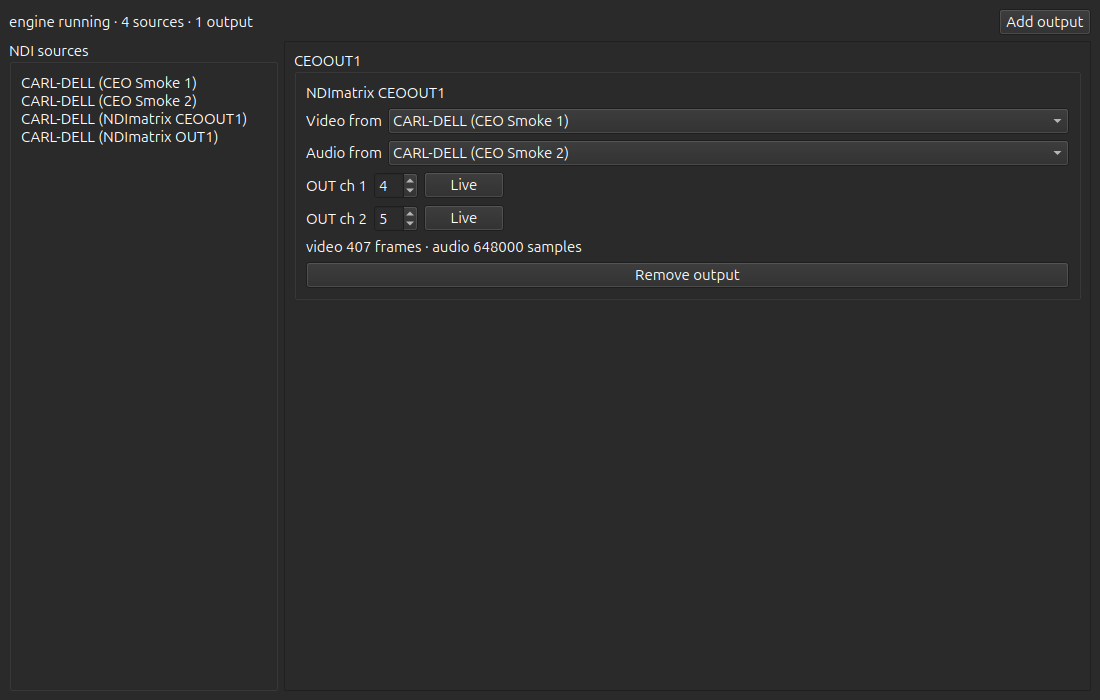
Take video from one NDI source and audio channels from another. Map any input audio channel to any output channel, or mute it.
NDI Audio/Video Matrix
Pick the video and the audio channels for each NDI output from any source on the network. Add NDI inputs and outputs up to what the host CPU and network sustain. NDI included.
Linux · Ubuntu 24.04+ · 30-day trial · then $19/mo or $149/yr
Features
Route
Take video from one NDI source and audio channels from another. Map any input audio channel to any output channel, or mute it.
Scale
Add NDI inputs and outputs up to what the host CPU and network sustain.
Control
Route from the desktop matrix, or run the headless daemon and command line on a box without a display.
Pricing
Matrix · Monthly
After the 30-day in-app trial. You get a license key by email. Cancel anytime in the billing portal — access and your license keep working until the end of the paid period. No refunds.
Matrix · Annual
Same NDI Audio/Video Matrix. Billed yearly. Cancel in the billing portal. No refunds.
Payments are processed by Stripe. Manage or cancel in the billing portal (same portal for all products).
Install
Ubuntu 24.04 or newer, 64-bit. AppImage or .deb. The NDI 6 runtime is included — you do not need a separate NDI install. No Mac or Windows build.
Install avahi-daemon for automatic mDNS discovery (preinstalled on most Ubuntu desktops).
Press Download AppImage. NDI is already included.
Right-click the file → Properties → allow executing as a program.
Double-click the AppImage. The 30-day trial starts in the app.
AppImage is larger because it ships as one file with its runtime. The .deb is smaller on Ubuntu 24.04+ and pulls packaged dependencies. NDI is included either way.
File: NDImatrix-0.1.0-x86_64.AppImage · NDI included · 30-day trial in the app
SHA-256: 6893686b57db42d169e50980d54338b8e08984da62ec597677b7b198208dce90 · .sha256
Packaged install. NDI is included in the .deb.
File: ndimatrix_0.1.0_amd64.deb
SHA-256: f74b45ae8c2fd802671a44804fb3ce1785770b6c712948296d54af61e285d5f4 · .sha256
Open Terminal in your Downloads folder, then run:
cd ~/Downloads
sudo apt install ./ndimatrix_0.1.0_amd64.deb
After install, open NDI Audio/Video Matrix from the app menu, or run ndimatrix-gui in Terminal.
avahi-daemon is running (systemctl status avahi-daemon) and that senders are on the same subnet.chmod +x NDImatrix-0.1.0-x86_64.AppImage.